
Chiron Web IDE
Use this software to create and maintain your Homepage easily in minutes!
- Easy to use
- No programming necessary
- Organize your content in 1,2 or 3 Columns
- Advanced html possible
- Mobile Phone detection
- Search Engine Tags
- Without database
Download it from here
Features
Text Editor
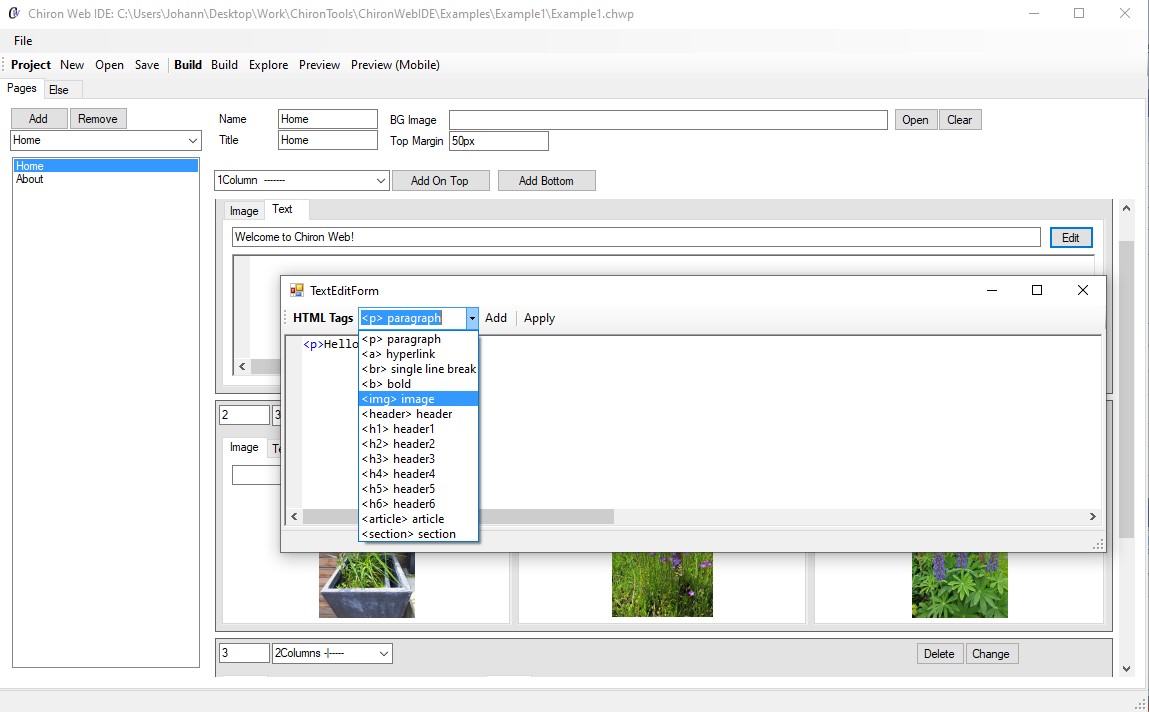
Edit your html text with syntax highlightening!
Color Picker

Show the menu on top or left side. Adjust the colors for background, font, menu,...
Mobile View

Use the mobile preview
Getting Started
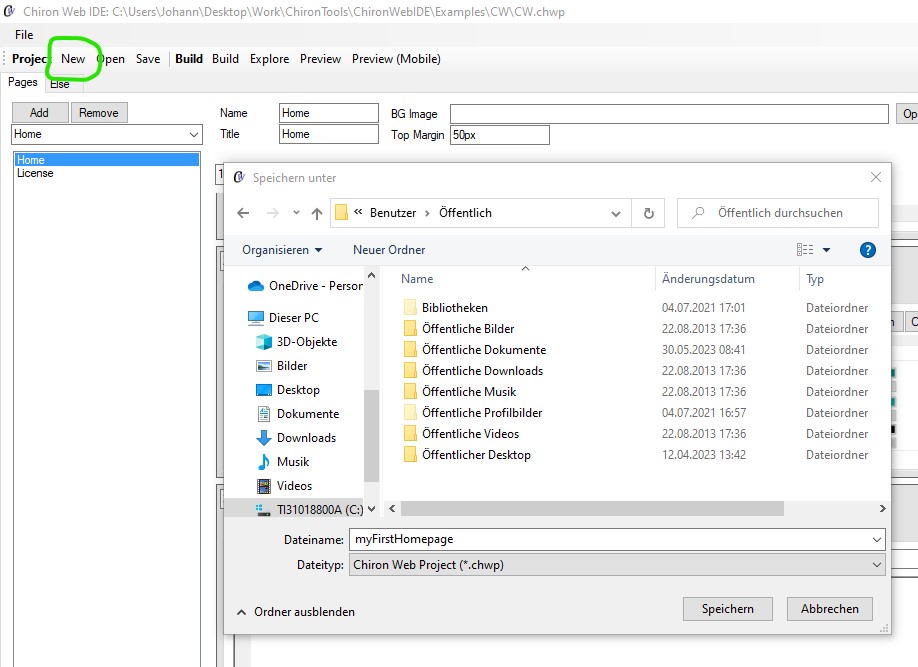
New Project
Press the "New" button in the toolbar to create a new default project.

Preview
Press "Preview" to see the default project in your browser.

Add an image
Select the Image tab in your column item and press Open to import an image.
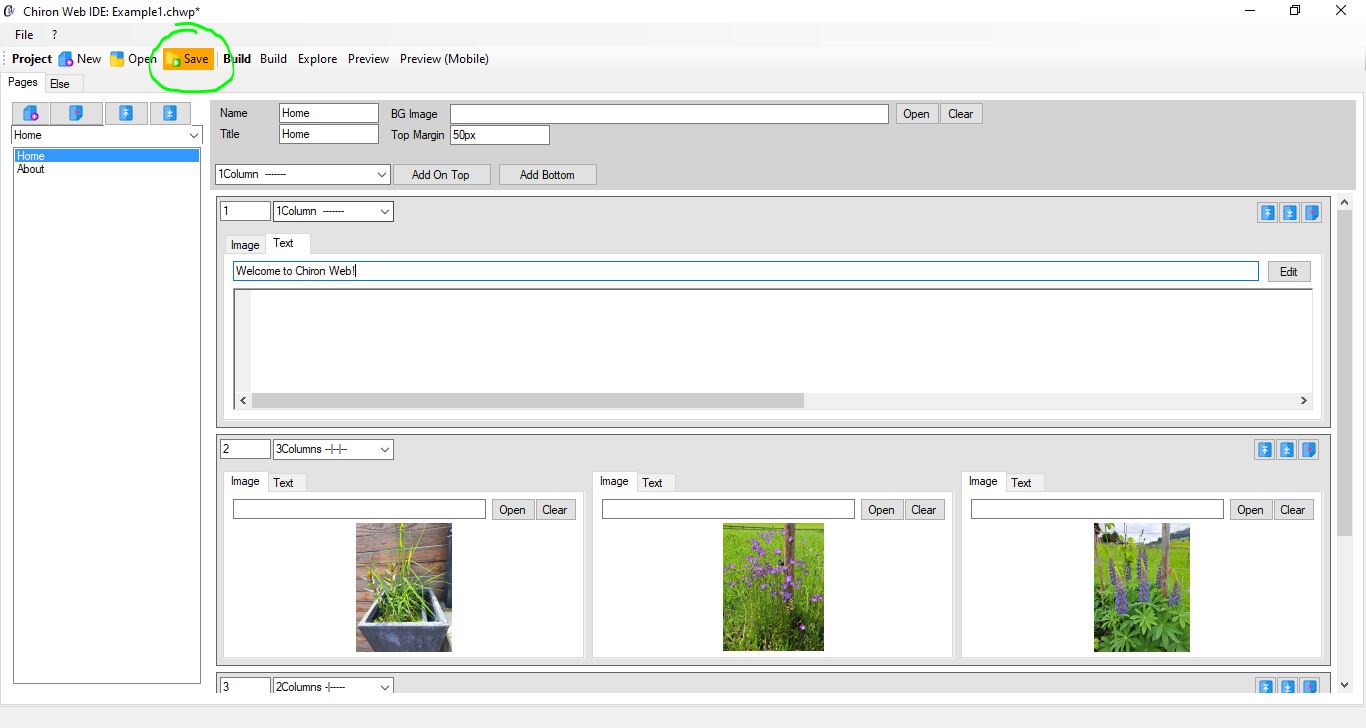
Item Changed
If something changed in a row , the change button appears orange! If you are finished with editing the entire row, press it and save the project. Then the button becomes grey again.

Adjust Colors
Change the colors of your homepage easily!
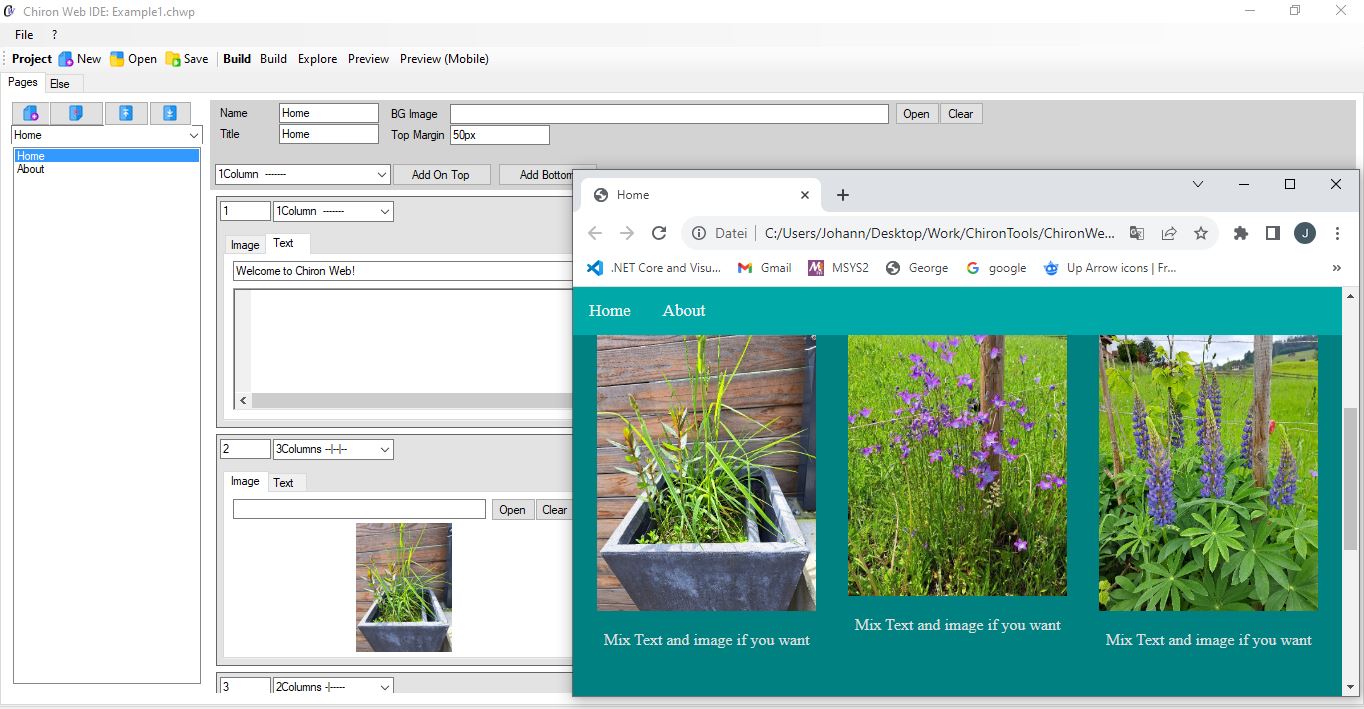
Preview again
Press Preview to see your changes.

Add Page
Use "Add" to add a new empty page. Edit the Name and Title as you want. Note that you can use 1 page as start page.

Select Columns
Select 1,2 or 3 columns and add a new row on top or bottom of the page. Note that you can change it later too.

Explore Files
If you use Build or Preview, the Build folder is created and overwritten(!). Use all files (.css, .js, .html) and folders (Images) to copy it to yout ftp server.

License
You can use the software for free for 30 days.
If you have questions or you want to request a license, contact us by t.office@gmx.netA license for one PC costs 30 EUR once. So no monthly costs!